Access Data Source Authorization
In Dify, you can access data source authorization through the following two methods:I. Knowledge Pipeline Orchestration
When orchestrating a knowledge pipeline, select the data source node that requires authorization. Click Connect on the right panel.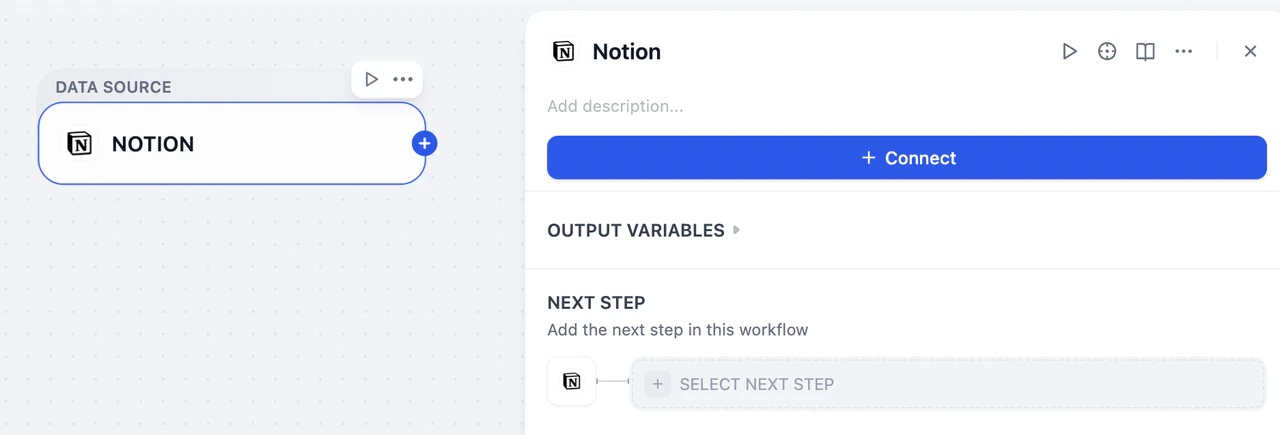
II. Integrations
Go to Integrations > Data Source and find the data source you want to authorize.Supported Data Source Authorization
Authorization Processes
API Key Authorization
API Key authorization is a key-based authentication method suitable for enterprise-level services and developer tools. You need to generate API Keys from the corresponding service providers and configure them in Dify.Process
-
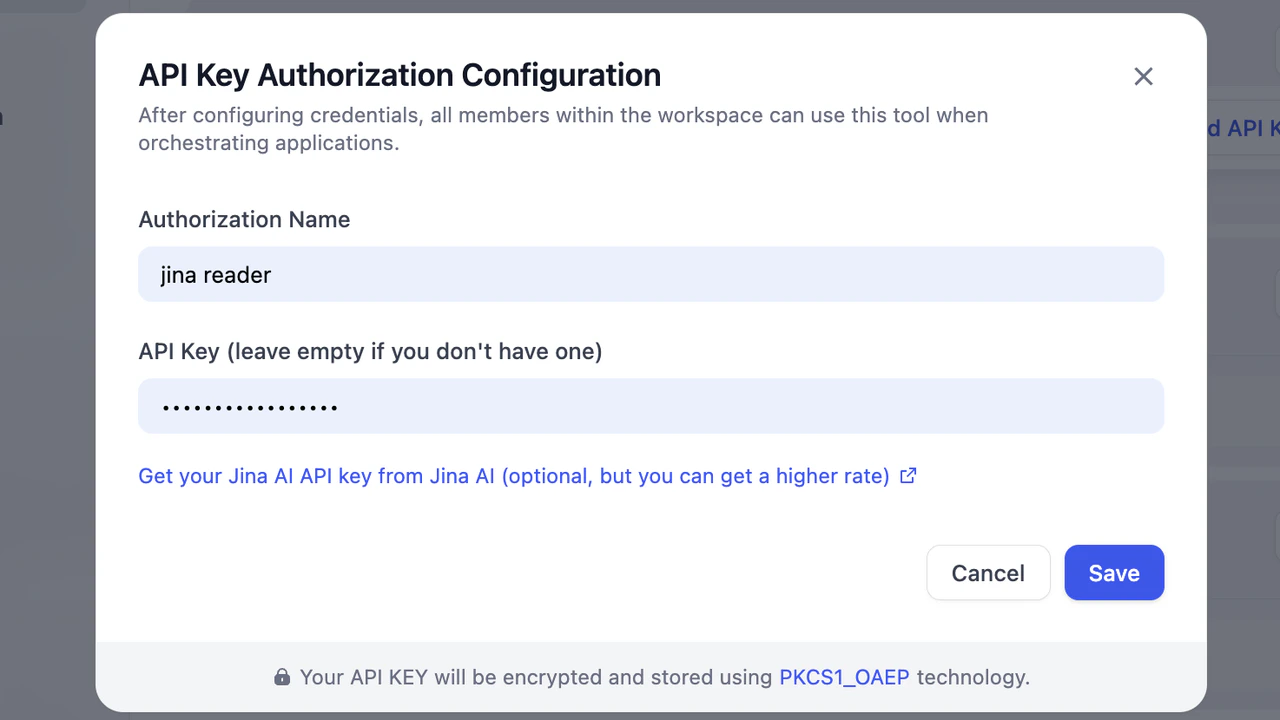
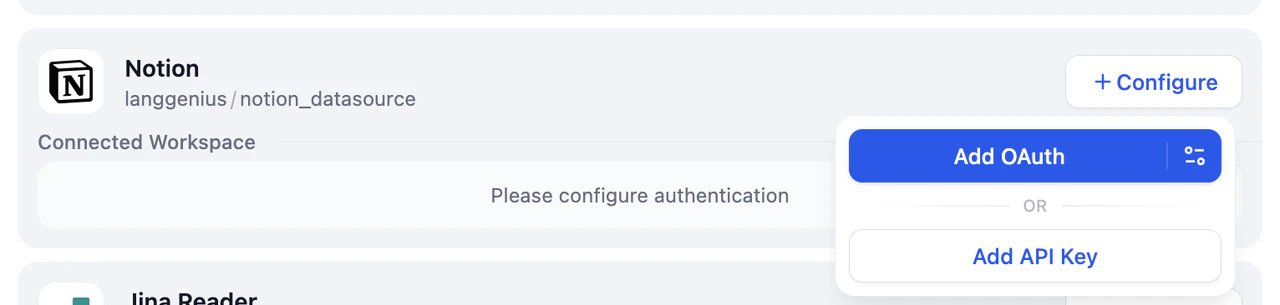
On the Data Source page, navigate to the corresponding data source. Click Configure and then Add API Key.

-
In the pop-up window, fill in the Authorization Name and API Key. Click Save to complete the setup.

OAuth Authorization
OAuth is an open standard authorization protocol that allows users to authorize third-party applications to access their resources on specific service providers without exposing passwords.Process
-
On the Data Source page, select an OAuth-supported data source. Click Configure and then Add OAuth.
- Review the permission scope and click Allow Access.
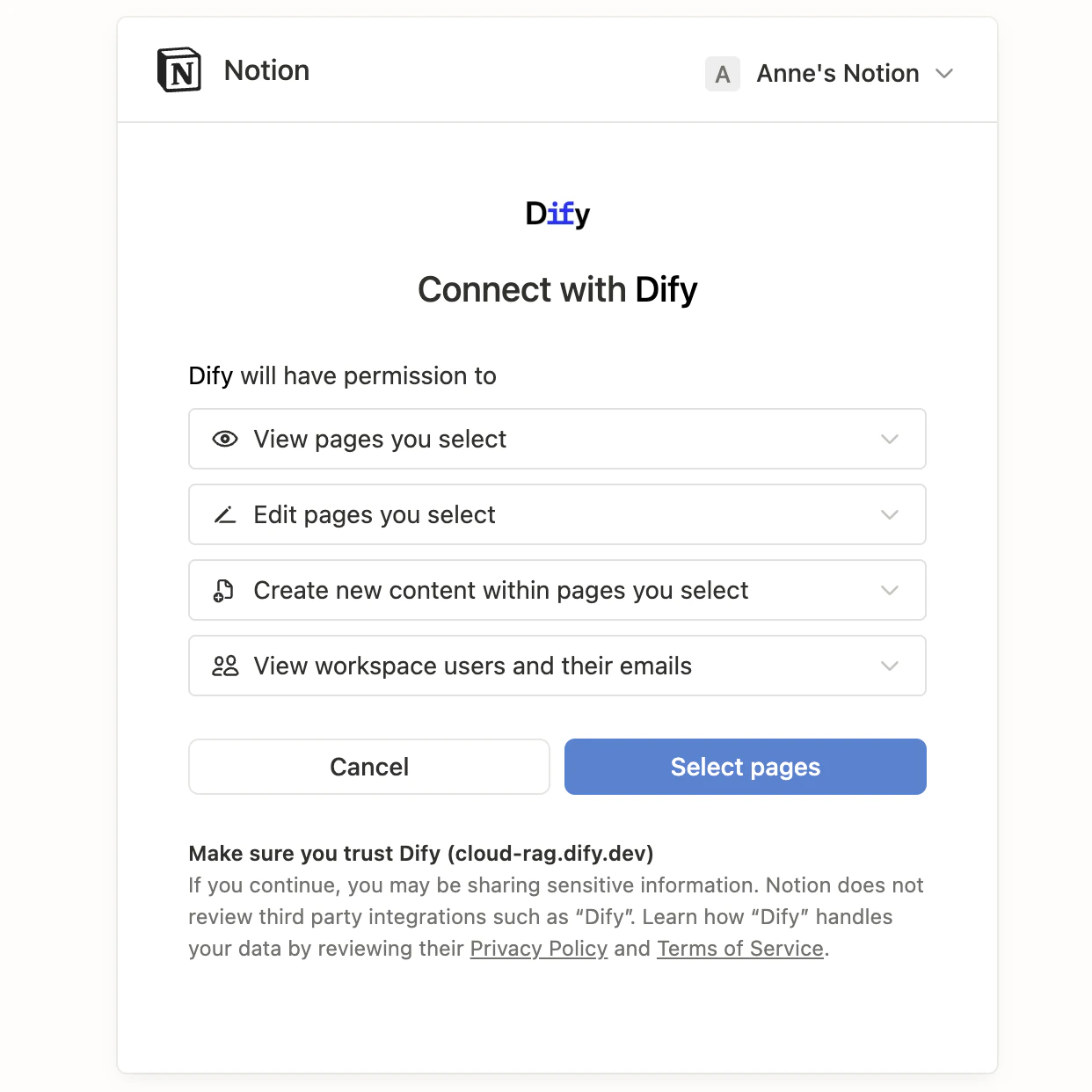
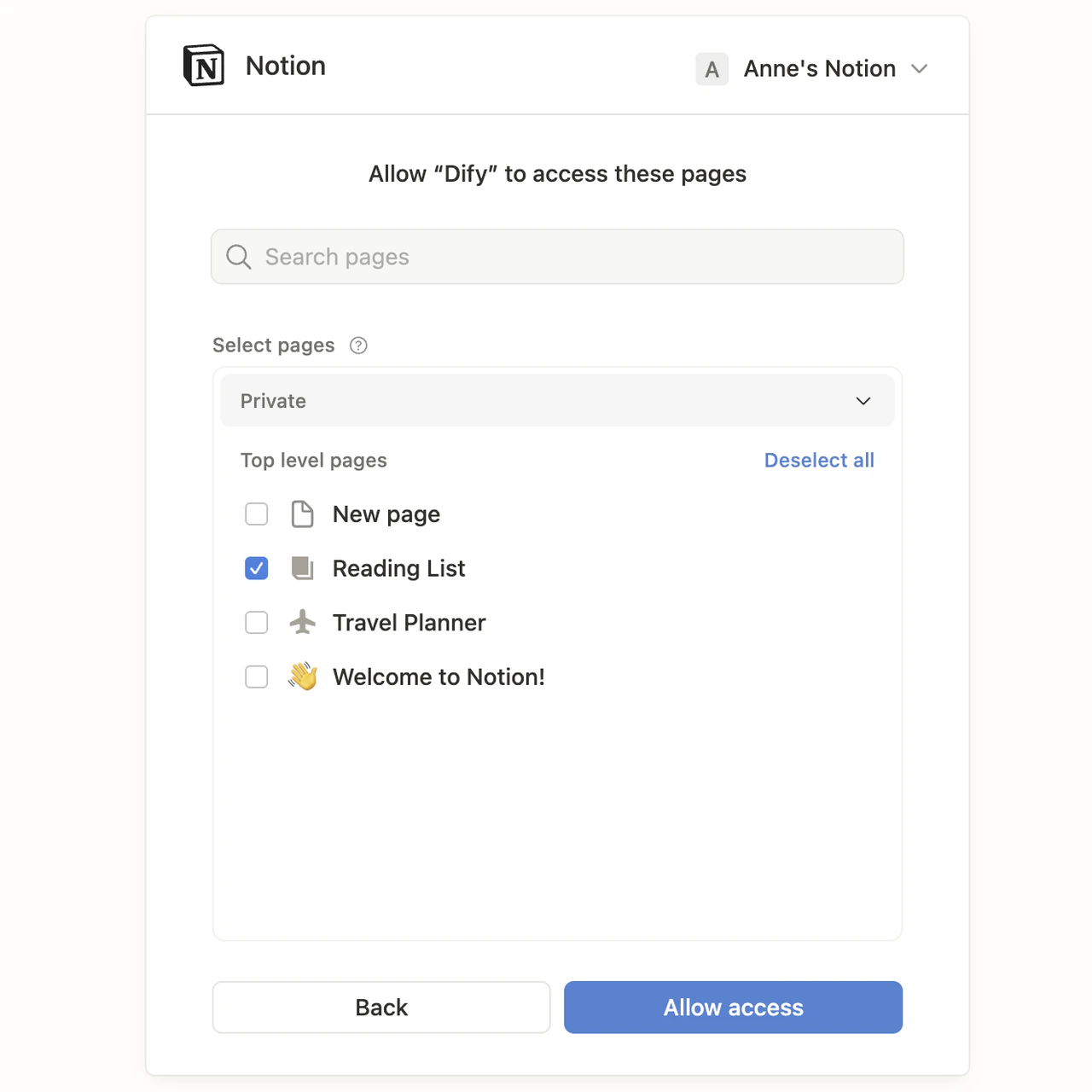
OAuth Client Settings
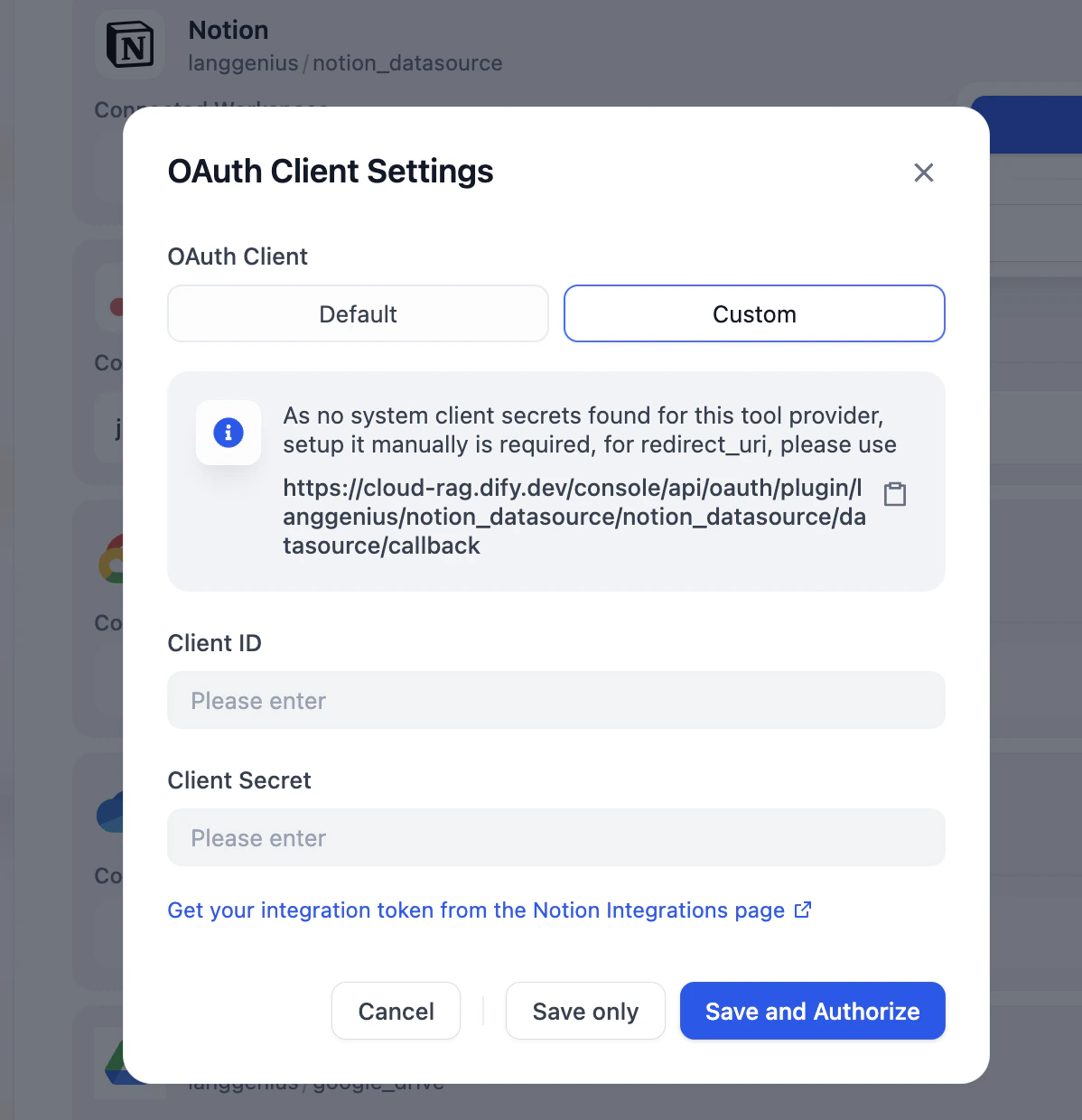
Authorize a data source with a custom OAuth client: register an OAuth application on the third-party platform, then provide its Client ID and Client Secret in Dify. This is especially useful when you have specific security or compliance requirements.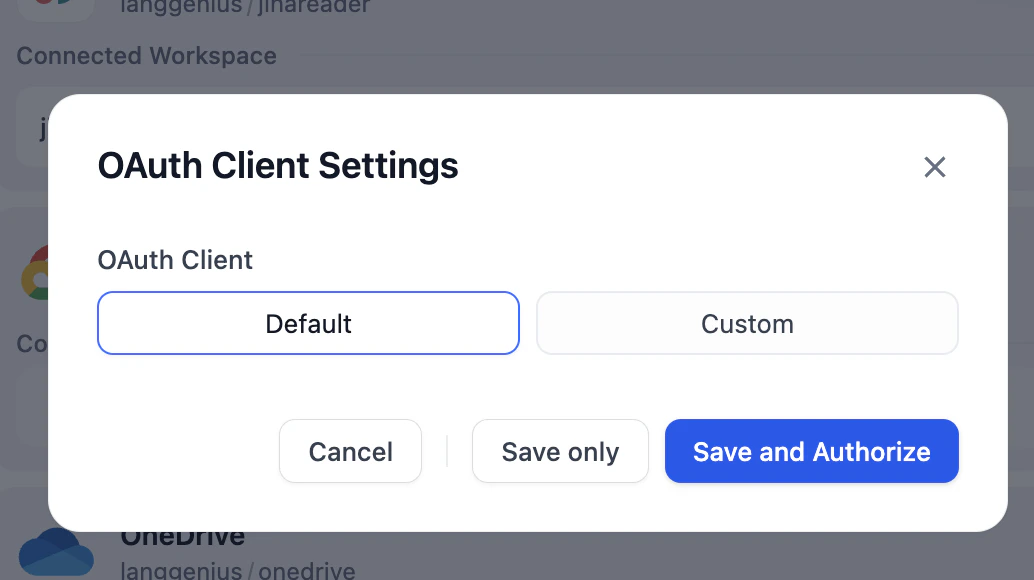
-
On the Data Source page, select an OAuth-supported data source. Click Configure and then the Setting icon on the right side of Add OAuth.
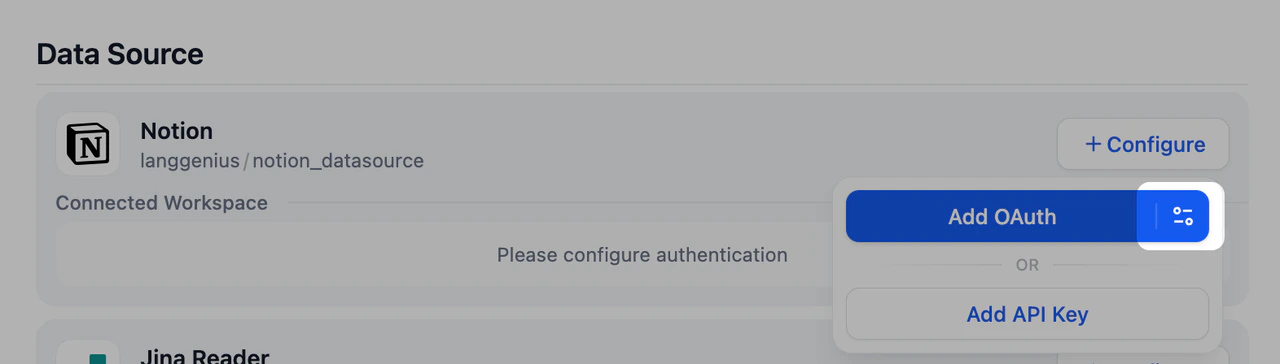
-
Choose Custom, enter the Client ID and Client Secret. Click Save and Authorize to complete the authorization.