

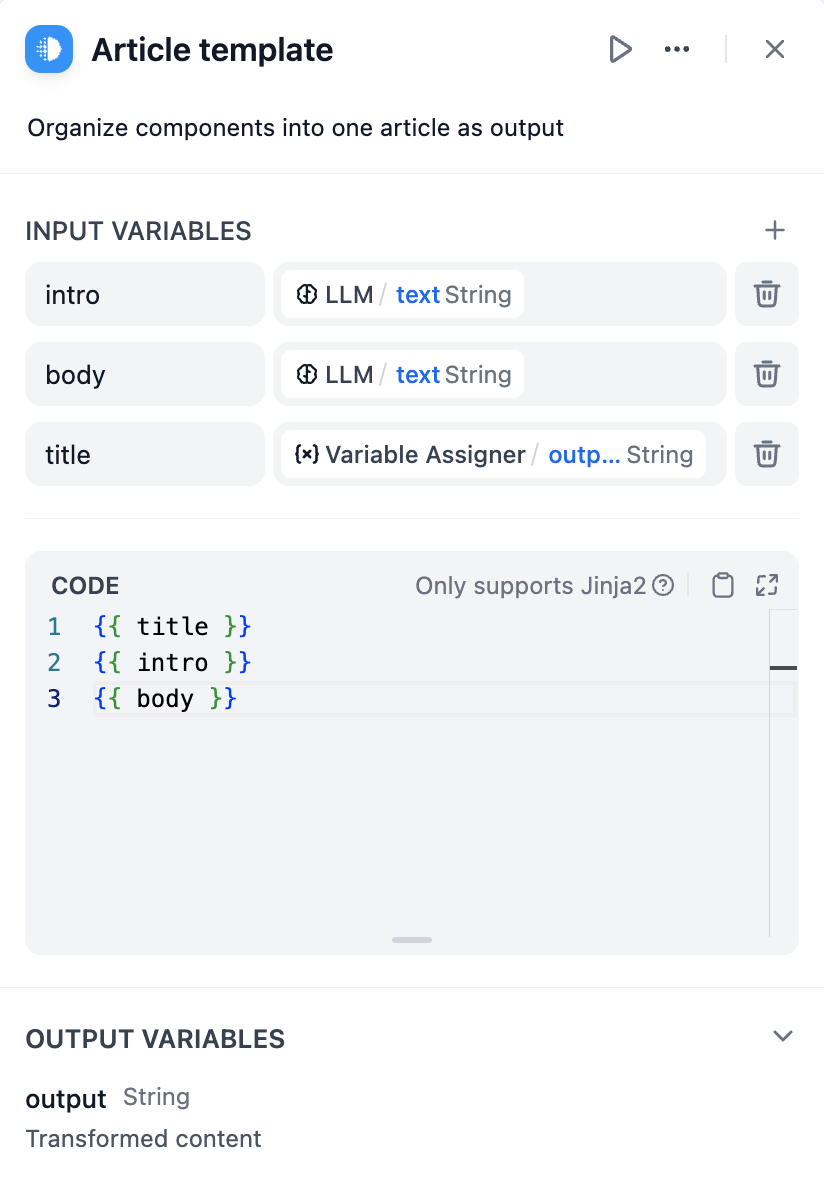
Jinja2 Templating
Template nodes use Jinja2 templating syntax to create dynamic content that adapts based on workflow data. This provides programming-like capabilities including loops, conditionals, and filters for sophisticated text generation.Variable Substitution
Reference workflow variables using double curly braces:{{ variable_name }}. You can access nested object properties and array elements using dot notation and bracket syntax.
Conditional Logic
Show different content based on data values using if-else statements:Loops and Iteration
Process arrays and objects with for loops to generate repetitive content: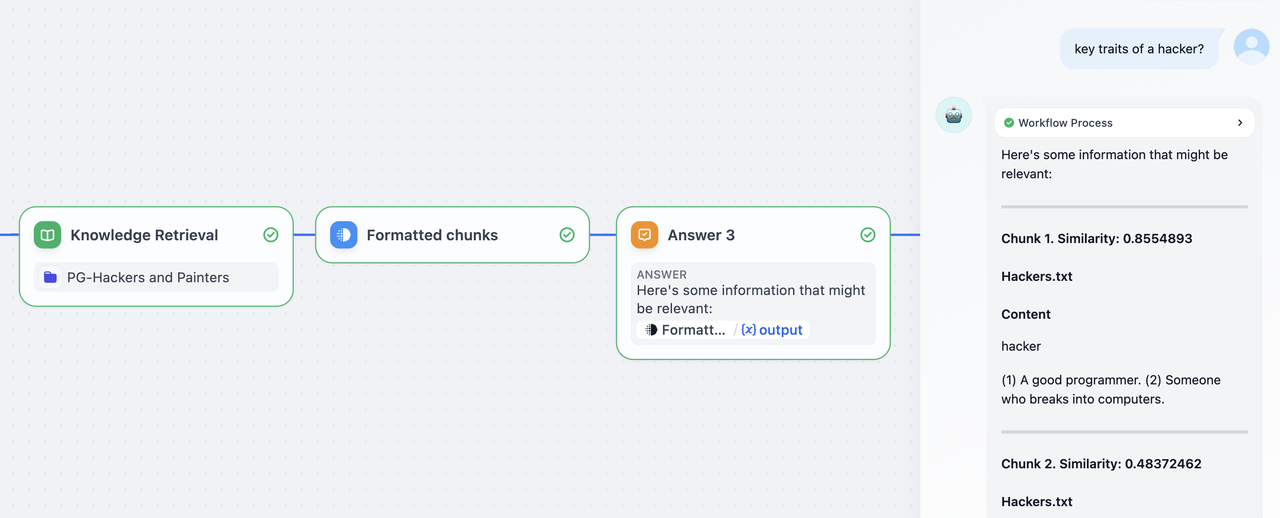
Data Formatting
Filters
Jinja2 filters transform data during template rendering:Error Handling
Handle missing or invalid data gracefully using default values and conditional checks:Interactive Forms
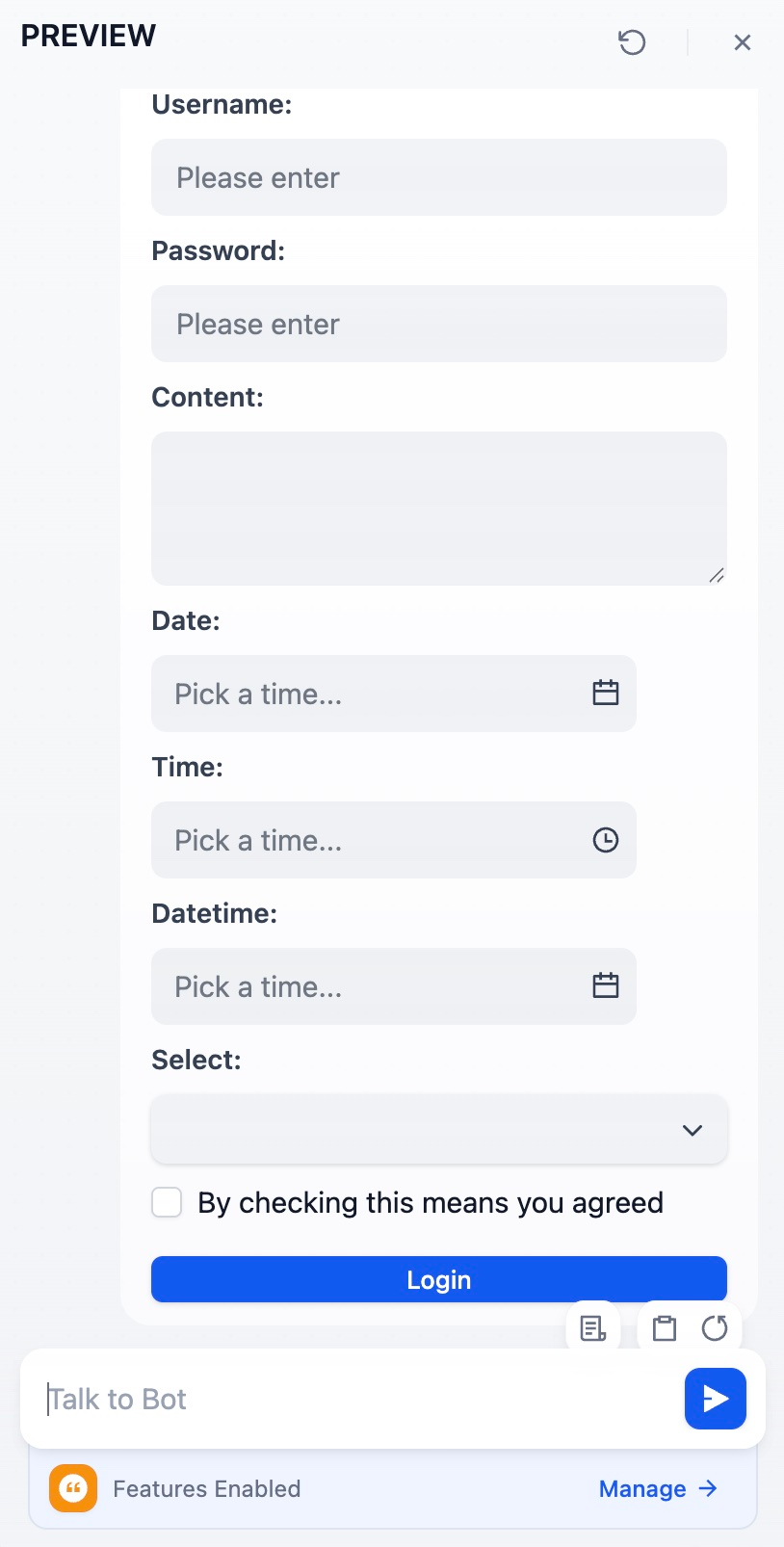
Templates can generate interactive HTML forms for structured data collection in Chatflows. On submit, the form values are sent to the chat as the end user’s next message. The format depends on the<form>’s data-format attribute:
data-format="json": values are serialized as a JSON object. A downstream Code node or Parameter Extractor canJSON.parseit (or pattern-match it) to pull out each field.- Unset (or any other value): values are sent as plain text, one
name: valueper line. Easier for an LLM to read.
Supported Tags
Tag | Attributes | Notes |
|---|---|---|
<form> | data-format | Container for form fields. Set data-format="json" to receive submissions as JSON; any other value (or unset) sends plain text. |
<label> | for | Renders the inner text as a field label. Set for to the field’s name to associate them. Place the <label> before its field in the source so it appears above. |
<input> | type, name, value, placeholder, checked, data-tip, data-options | See input types below. name is required for the field to appear in the submission and must match [A-Za-z][A-Za-z0-9_-]*. |
<textarea> | name, placeholder, value | Multi-line text input. |
<button> | data-variant, data-size | Submits the form.
Ignores data-message and data-link, which only apply to quick-reply buttons. |
Do not leave blank lines between tags inside
<form>. A blank line ends the HTML block during markdown parsing, and any tags after the break will fail to render as form fields.Supported Input Types
type value | Renders as | Submitted as |
|---|---|---|
text, password, email, number | Single-line input with matching HTML semantics | String |
date | Date picker | ISO date string (e.g., 2026-01-10) |
datetime | Date picker with time selection | ISO date-time string (e.g., 2026-01-10T14:30:00.000+08:00) |
time | Time picker | String (includes a full date prefix, not just the time) |
checkbox | Checkbox followed by the data-tip text as a label | Boolean (true or false) |
select | Dropdown built from the data-options JSON array of strings | Selected option string |
hidden | Renders as an <input type="hidden"> element; not visible in the UI | String |
-
Any other
typevalue renders an “Unsupported tag” fallback in place of the field. -
HTML5 validation attributes such as
required,min,max, andpatternare not enforced. -
Browsers may autofill
<input type="password">and<input type="email">with saved credentials for the current site; use<input type="text">for fields that should not be prefilled.
Quick-Reply Buttons
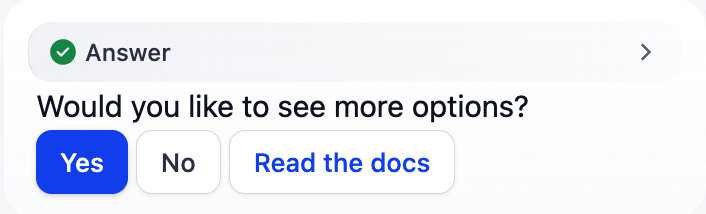
A standalone<button> placed outside any <form> renders as a clickable button in the chat. Use these to offer canned responses or external links inline with the assistant’s message. For example:
| Attribute | Click behavior |
|---|---|
data-message | Sends the text as the end user’s next chat message. |
data-link | Opens the URL in a new tab. Must be a valid URL. |
data-link takes precedence. A button with neither renders but performs no action when clicked.
Apply data-variant and data-size for styling, using the same values listed for form buttons above.
Unlike form buttons, standalone buttons pass
data-variant and data-size through to the underlying component without validation. An unrecognized value can leave the button rendered as plain text rather than a styled button.Use only the values listed above.Output Limits
Template output is limited to 400,000 characters (configurable viaTEMPLATE_TRANSFORM_MAX_LENGTH). This prevents memory issues and ensures reasonable processing times for large template outputs.